QR ordering for bowling alleys & entertainment venues

Food & drinks,
right to your lane.

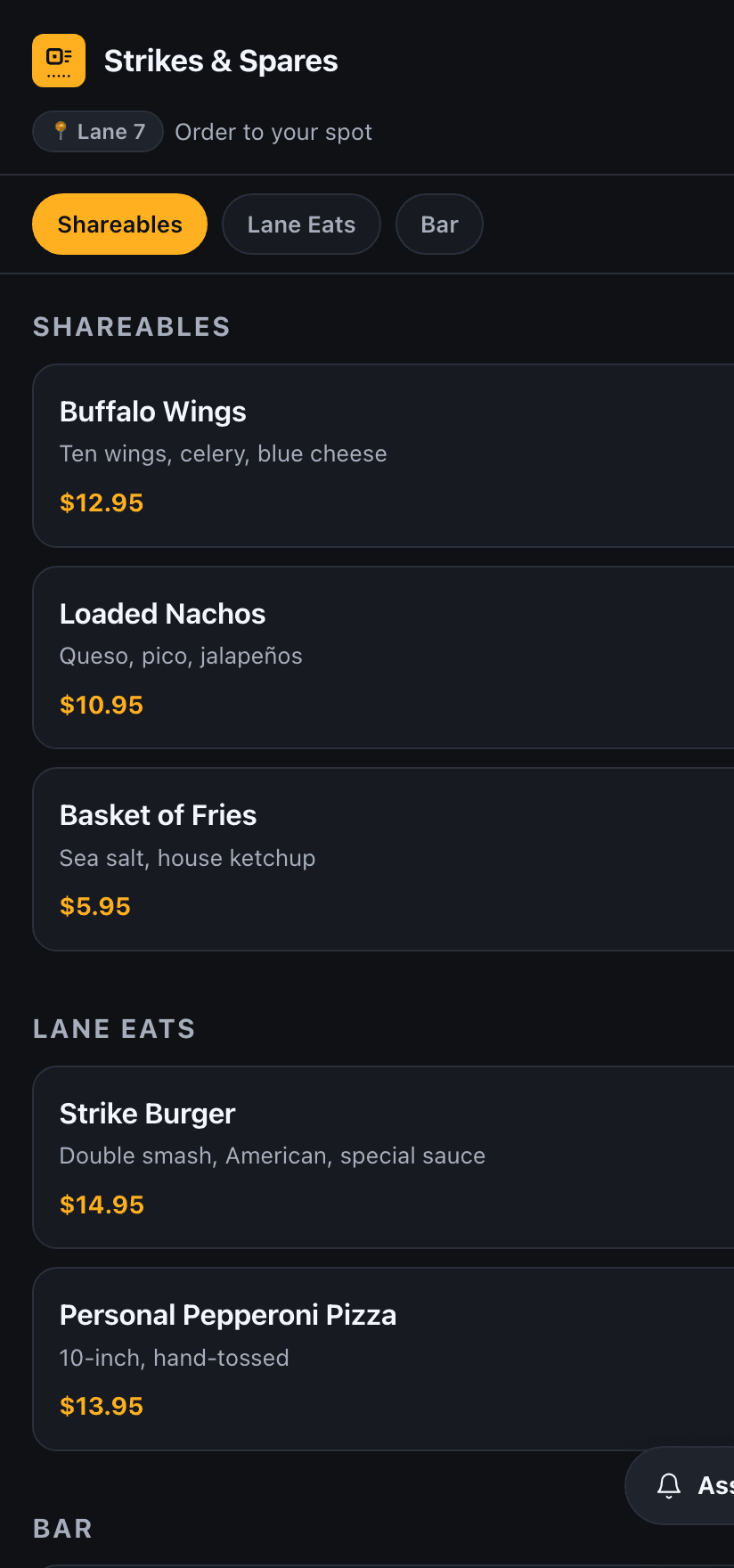
Guests scan a QR code at their lane or table, order and pay on their own phone, and the ticket prints straight to your kitchen and drink station. No waitstaff relay, no counter line, and nothing to download.

Stripe paymentsHeadless cloud printingNo on-site PC
lanetab.com/adminLive
The LaneTab operator console — managing the live menu, prices, and stations
A guest ordering food and drinks on their phone at Lane 7 with the LaneTab menu
How it works

Three steps. Zero hardware to babysit.

From the guest's first scan to the ticket on your line — LaneTab runs the whole path in the cloud.

01

Scan the code

A QR code lives at every lane or table. Guests scan and your live menu opens on their phone — no app, no account.

02

Order & pay

They build the order and check out with Stripe, right there. You're paid before the food is fired — no tab to chase.

03

We make it & bring it

The chit prints straight to your kitchen and drink station with the lane number on it. Your team makes it and runs it. Done.

Lane Assistant

They never have to flag anyone down.

From the same screen, a guest can tap Assistance to ask for a respot, a stuck ball, another round, or the check. It lands on your staff console the instant they send it — with two-way messaging, so your team can reply and mark it handled without leaving the counter.

Don't need ordering yet? Lane Assistant runs standalone from $49/mo, any size learn more.

Prefer the app?

Get the LaneTab app for one-tap ordering, live order status on your phone and Apple Watch, and two-way messaging with the venue. Scan to install — free on iOS and Android.

For venues

Turn every lane into a table.

The operator-side of LaneTab is built like infrastructure: nothing on-site to fail, money in your account instantly, and one console to run the floor.

Headless cloud printing

Tickets fire from the cloud straight to your existing kitchen and drink-station printers. No on-site PC, no POS terminal, no driver to install — just paper coming out where it should.

Works with your current thermal printers

Get paid instantly

Guests pay on their own phone through Stripe before the order is fired. The money is yours immediately — no open tabs, no walkouts, no end-of-night reconciliation.

Powered by Stripe · payouts to your bank

Live staff console

One screen shows every lane, every order, and every printer's status in real time. Two-way messaging lets you ping a guest back the second their kitchen runs out of wings.

Real-time queue + two-way guest messaging

Your menu, your rules

A self-serve CMS for items, prices, photos, and availability — per venue, per lane if you want. 86 a dish in one tap and it disappears from every phone instantly.

Multi-tenant · self-serve menu CMS
Compatibility check

Will it work with my printer?

Pick your printer brand to check compatibility.
Run it from the counter

The LaneTab Venue app

Put the live order feed on the iPad or tablet at your counter: watch orders land, advance and reprint tickets, print chits to a Star Bluetooth receipt printer, and manage your menu, hours and settings — all in one app. Free for LaneTab venues. Scan to install.

Now a full POS

More than lane ordering. A complete point of sale.

Ring up the counter, take every kind of card, run the cash drawer, and track your inventory — all in LaneTab. Run it as your whole POS, or alongside the one you already have.

Register & every card path

A counter register plus scan-to-pay, Stripe Terminal readers, Tap to Pay on iPhone & Android, cash, and comps — money to your own Stripe account instantly.

Scan-to-Pay · Terminal · Tap to Pay · Cash

Cash drawer, receipts & Z-report

The drawer kicks on a cash sale, receipts print automatically, and every shift closes with a counted over/short Z-report. The boring stuff, done right.

Float · paid-in/out · close & count

Inventory & lane-maintenance analytics

Track depletion, par levels, and reorders (add-on), and spot a failing lane before it costs you a night with per-lane maintenance analytics built into Insights.

Depletion · reorder reports · lanes to watch
Questions, answered

Built to drop into the floor you already run.

Does LaneTab replace my POS?

It can. LaneTab is a full POS now — a counter register, every card path, a cash drawer with a Z-report, receipts, and inventory. Run it as your only point of sale, or keep your existing POS and run LaneTab alongside it for lane & table ordering. See the full POS →

Do guests have to download an app?

Never. They scan a QR code and order right in their phone's browser — no app, no account. (An optional native app exists for guests who want it.)

How and when do we get paid?

Guests pay upfront through Stripe before the kitchen fires the order. Funds land in your own Stripe account on every order — you're paid before the food is made. No open tabs to chase, no walkouts.

What hardware do we have to install?

Just your thermal printer. No on-site PC, no POS terminal, no tablet to babysit — the printer reaches our cloud over your internet connection.

Which printers work?

Star Micronics (CloudPRNT) and Epson (Server Direct Print / ePOS) thermal printers, natively over the cloud. Not sure about yours? Use the compatibility check above.

Is our data and our guests' payments secure?

Every venue is fully isolated (multi-tenant with row-level security), and Stripe handles all card data — LaneTab never stores card numbers.

Order to your lane.

See the whole flow — scan, pay, and the chit landing on the line — in a real venue demo.